Two workspaces. One connected workforce platform.

Jobbly separates organisation management from daily workforce operations. Use the Account app to configure your organisation and understand the bigger picture across employees, departments, staff hours, and operational activity — then run rotas, availability, messages, and follow-ups from your dedicated tenant workspace.
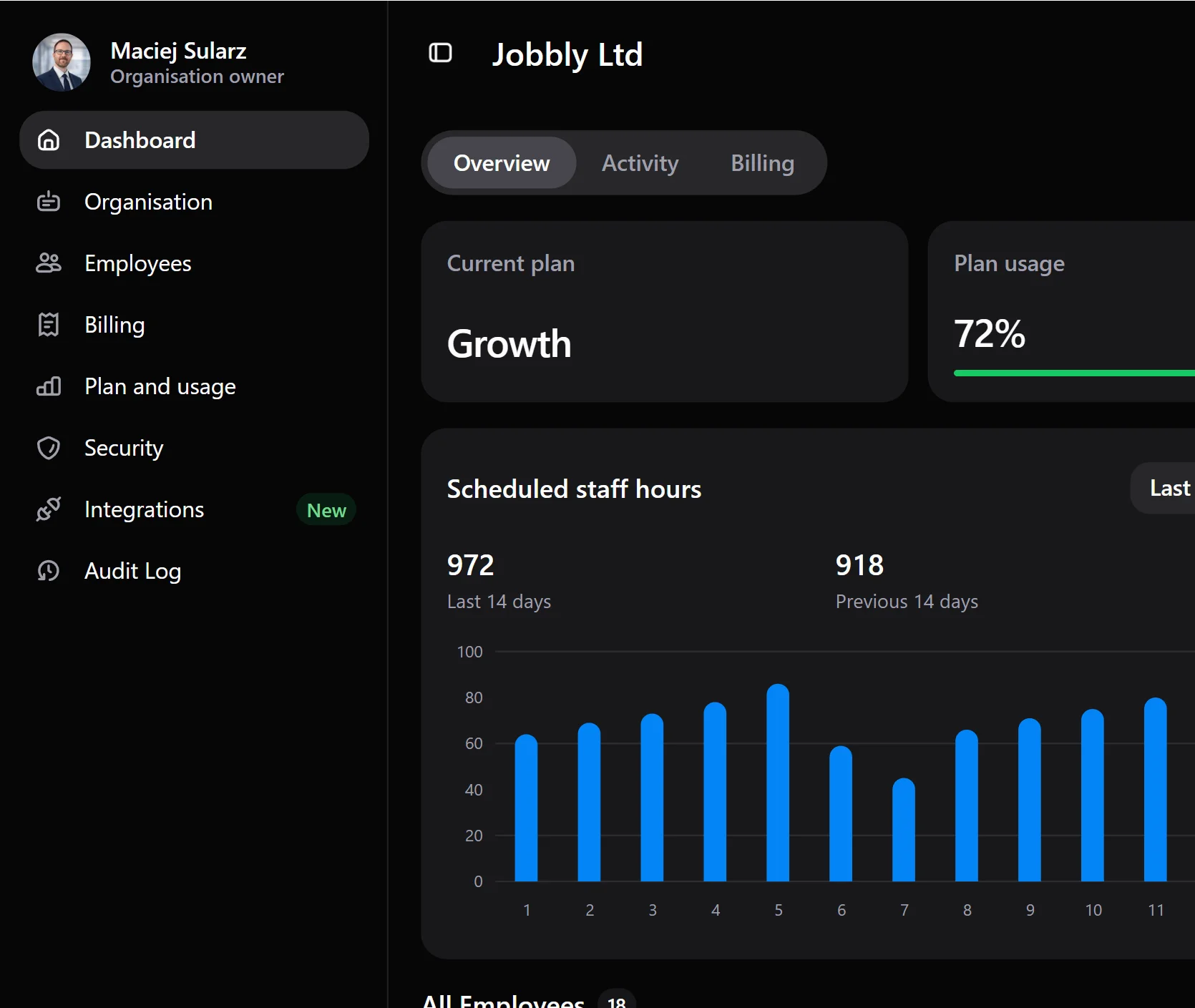
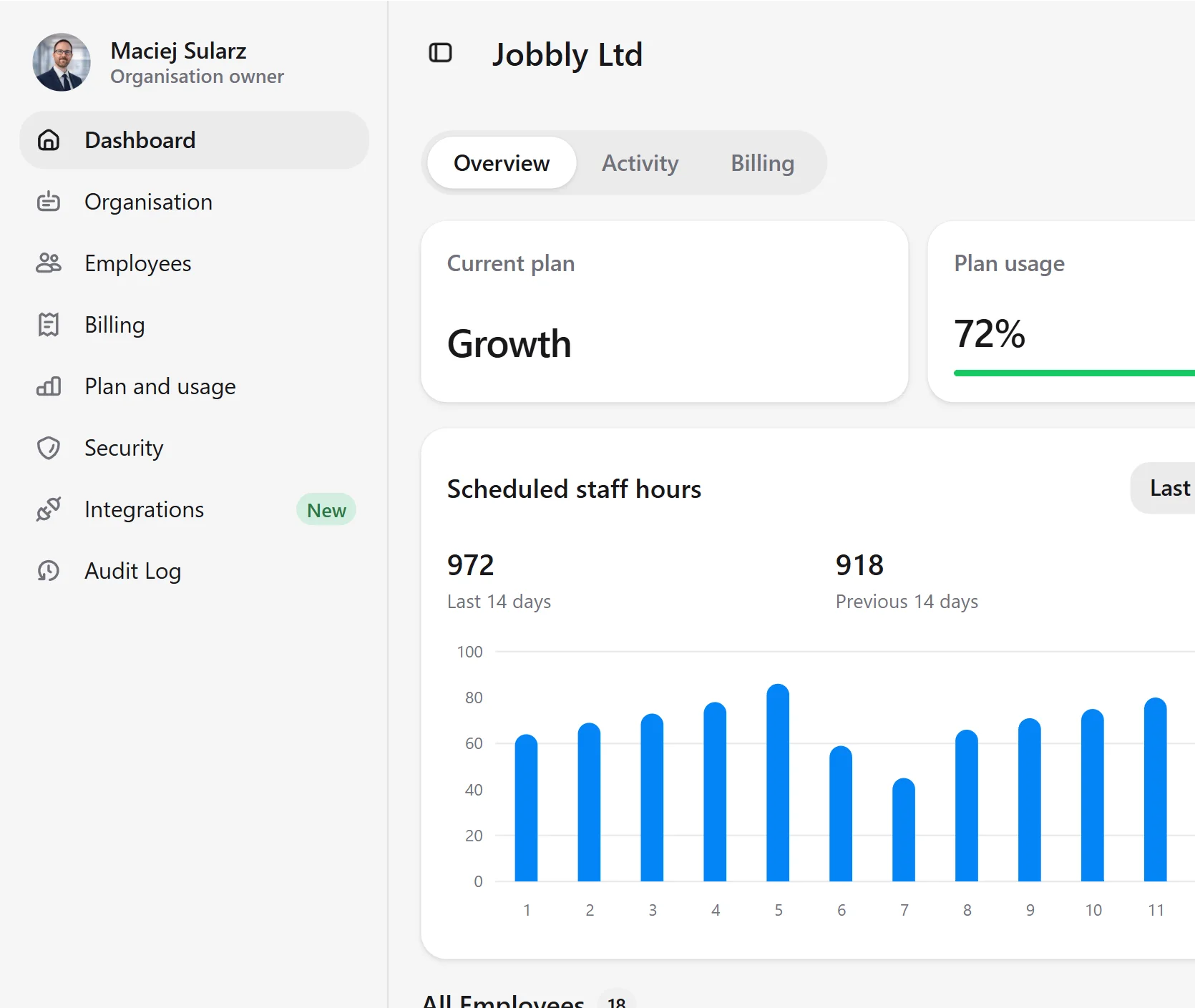
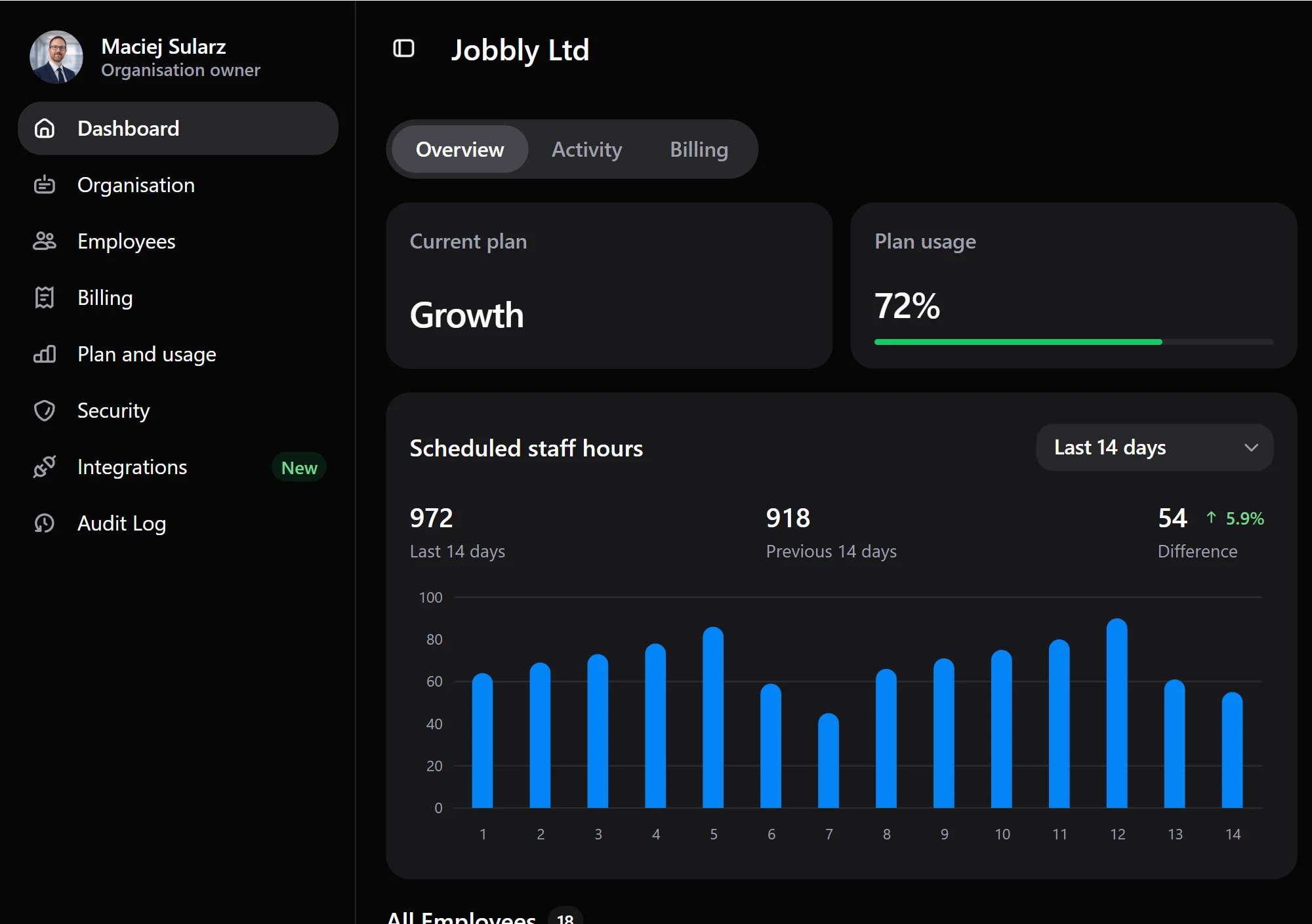
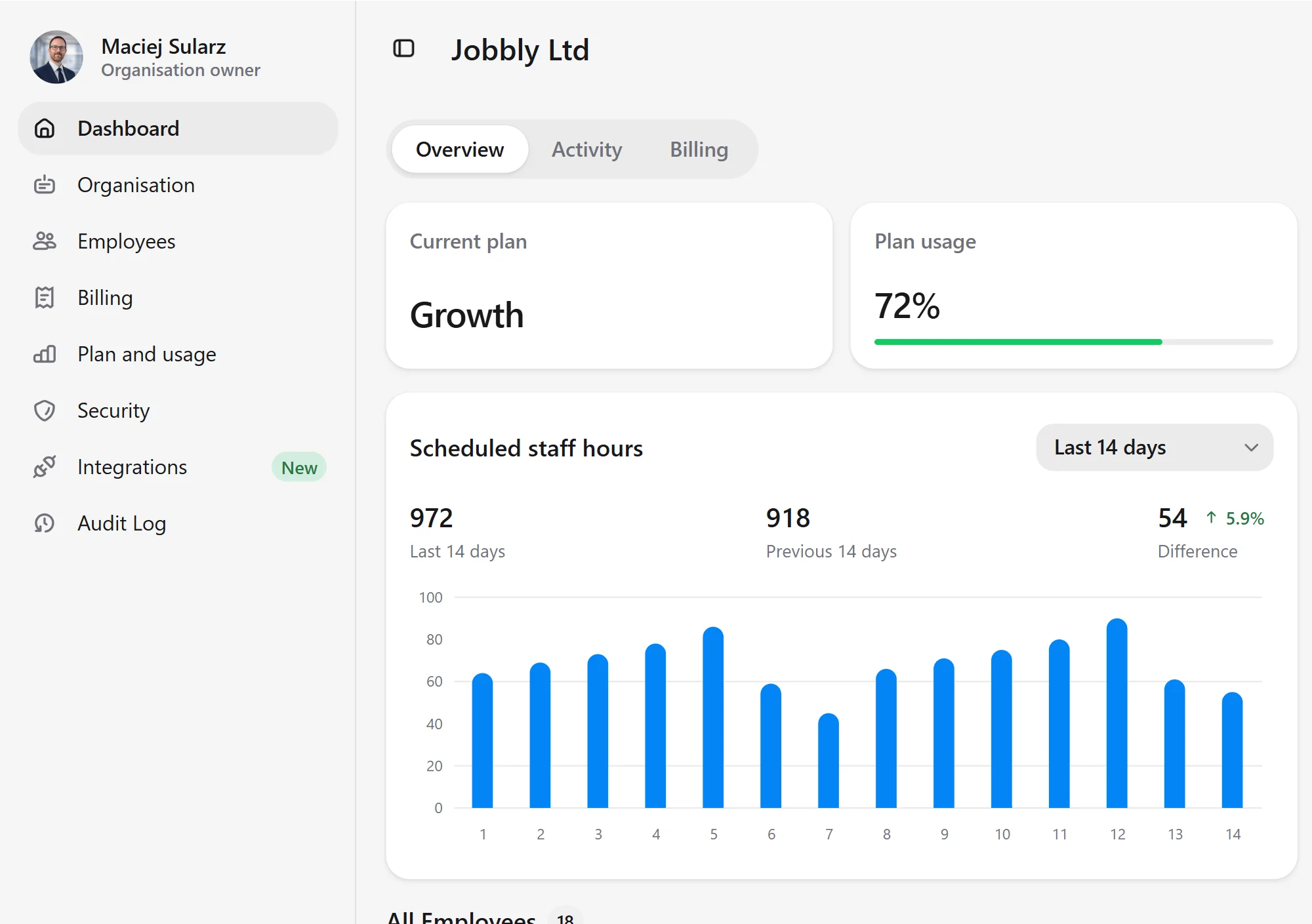
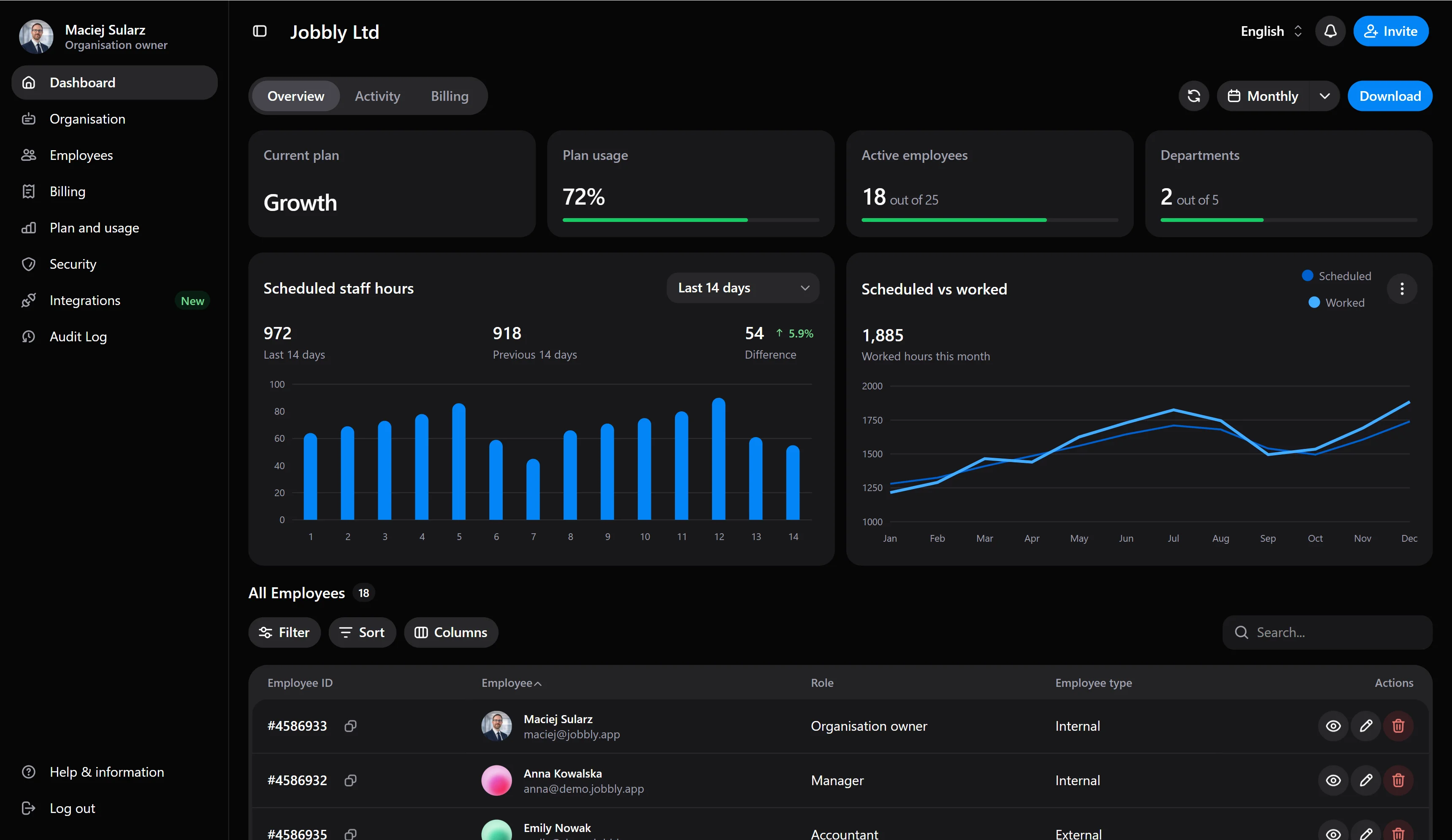
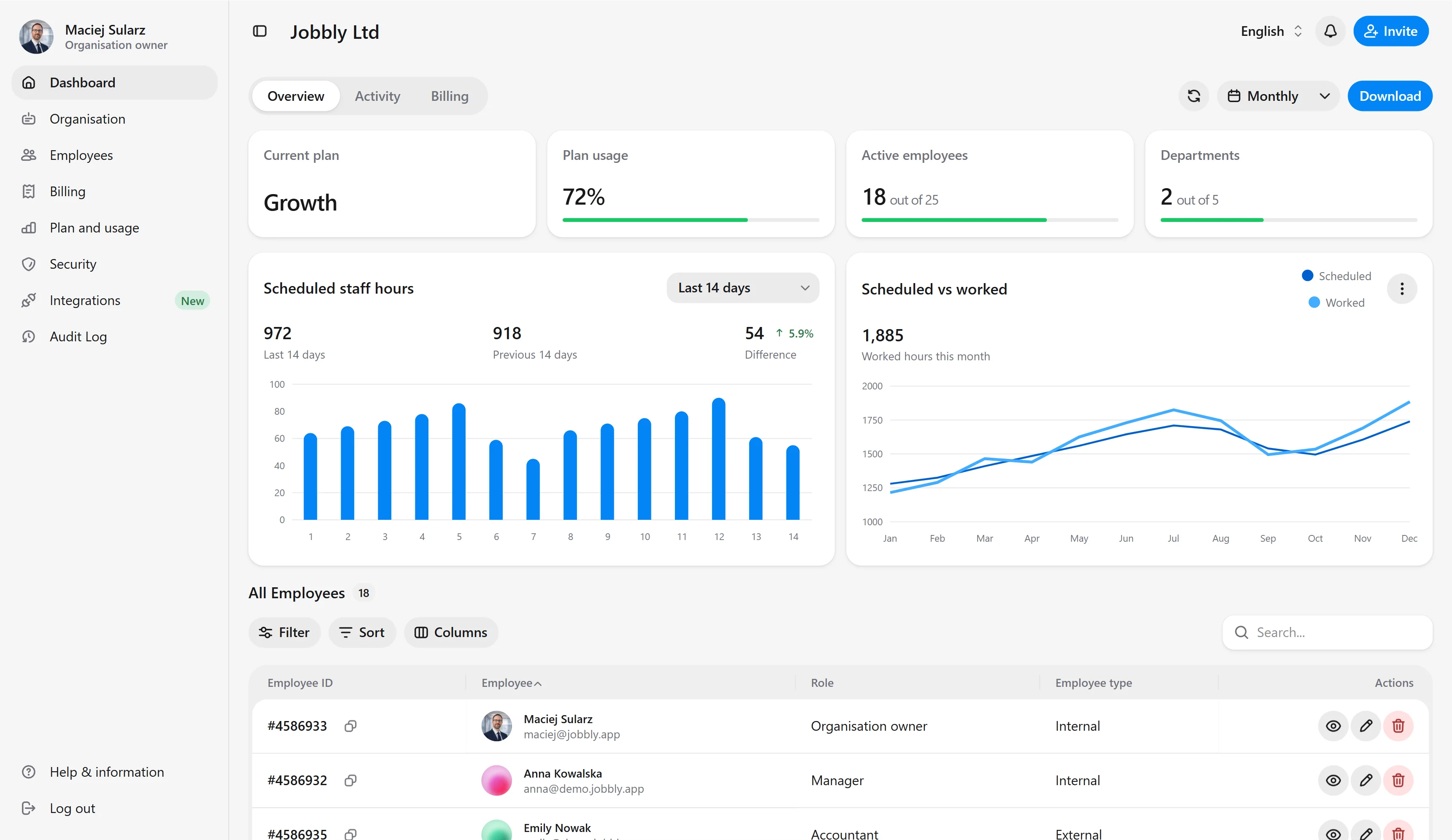
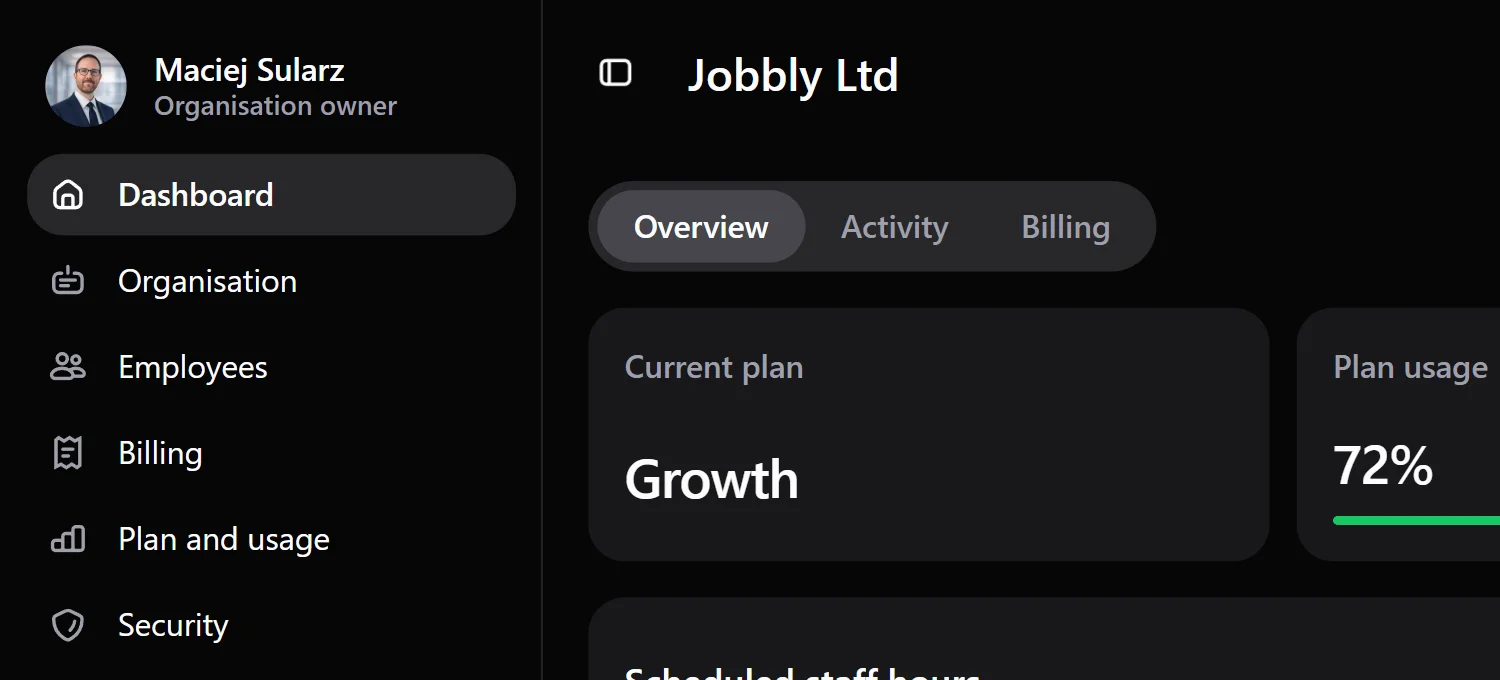
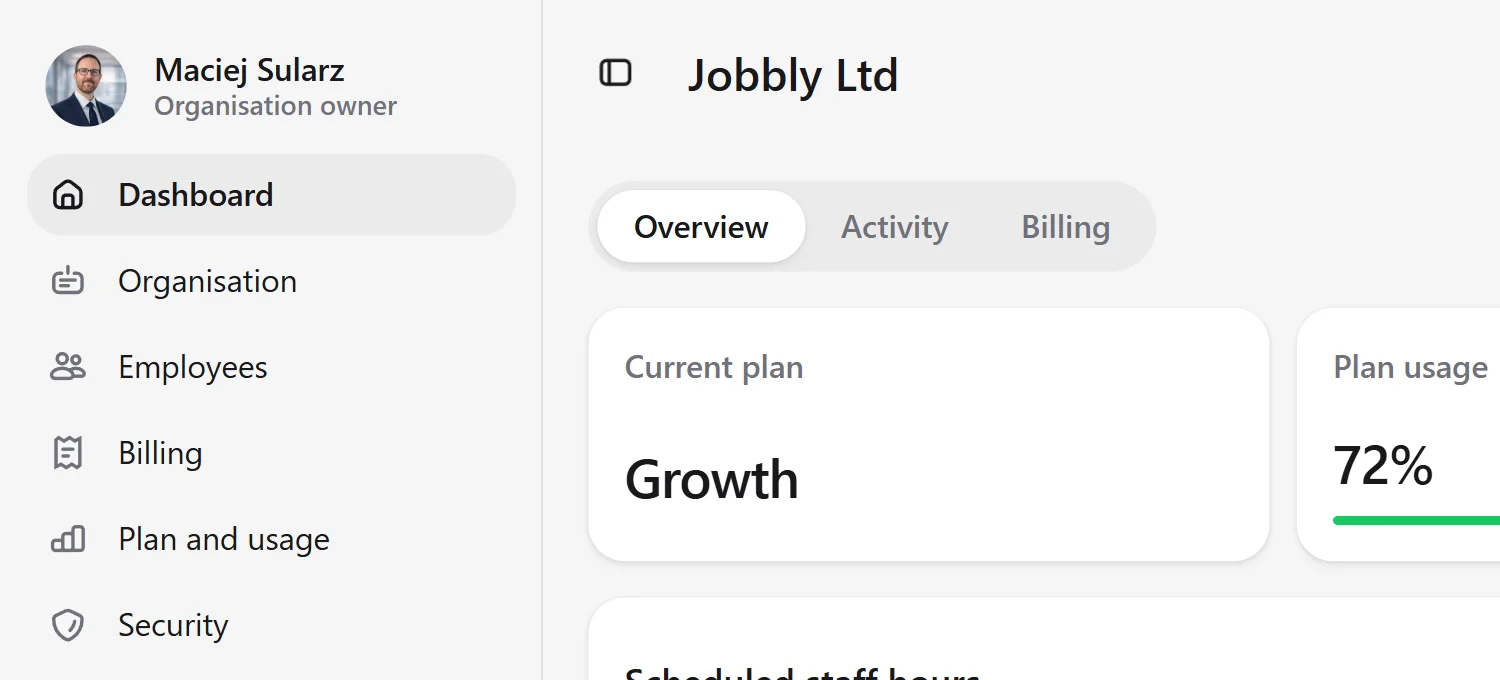
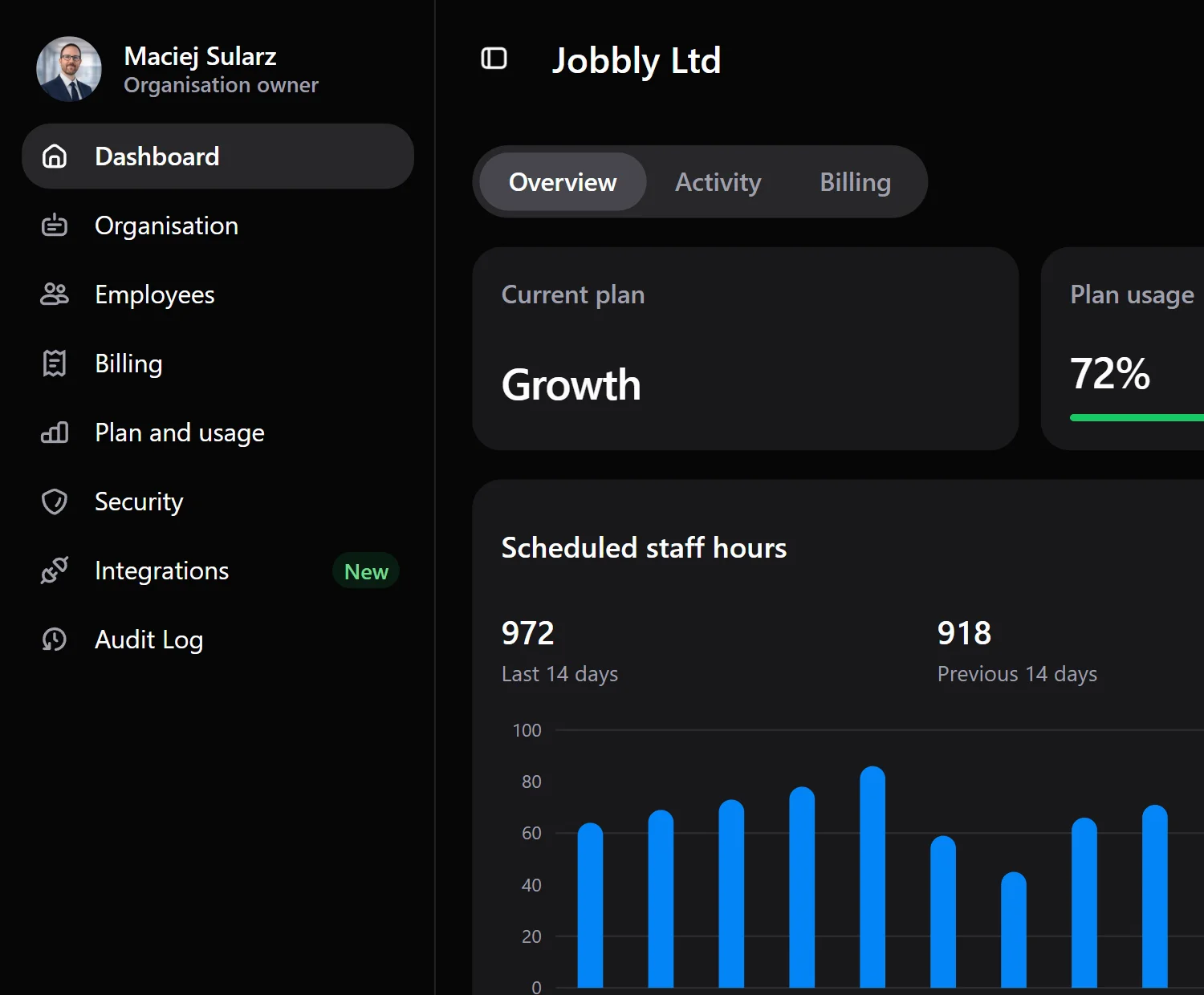
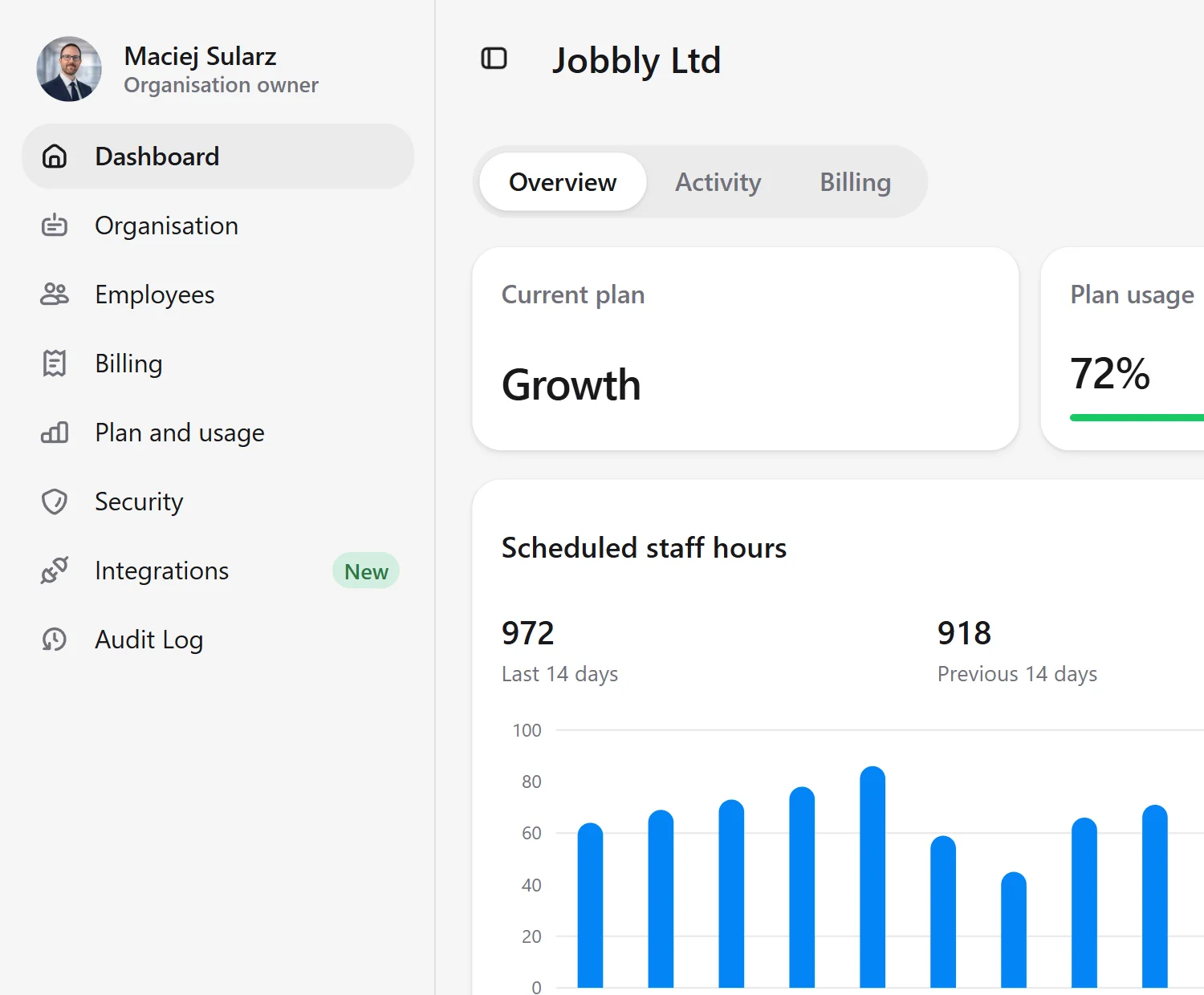
Jobbly Account app dashboard in English dark mode showing organisation plan usage, employee seat usage, department usage, billing-related account controls, scheduled staff hours, worked hours analytics, and organisation administration for Jobbly Ltd.Jobbly Account app dashboard in English light mode showing organisation plan usage, employee seat usage, department usage, billing-related account controls, scheduled staff hours, worked hours analytics, and organisation administration for Jobbly Ltd.Jobbly Account app dashboard in English dark mode showing organisation plan usage, employee seat usage, department usage, billing-related account controls, scheduled staff hours, worked hours analytics, and organisation administration for Jobbly Ltd.Jobbly Account app dashboard in English light mode showing organisation plan usage, employee seat usage, department usage, billing-related account controls, scheduled staff hours, worked hours analytics, and organisation administration for Jobbly Ltd.
Jobbly Account app dashboard in English dark mode showing organisation plan usage, employee seat usage, department usage, billing-related account controls, scheduled staff hours, worked hours analytics, and organisation administration for Jobbly Ltd.Jobbly Account app dashboard in English light mode showing organisation plan usage, employee seat usage, department usage, billing-related account controls, scheduled staff hours, worked hours analytics, and organisation administration for Jobbly Ltd.

See how Jobbly works across your business.

From account-level oversight to daily team operations, Jobbly gives every part of your workforce the right workspace, tools, and insights.

Jobbly Account

See the organisation-level picture: branches, employees, departments, staff hours, usage patterns, and the key signals that help you spot operational imbalance.
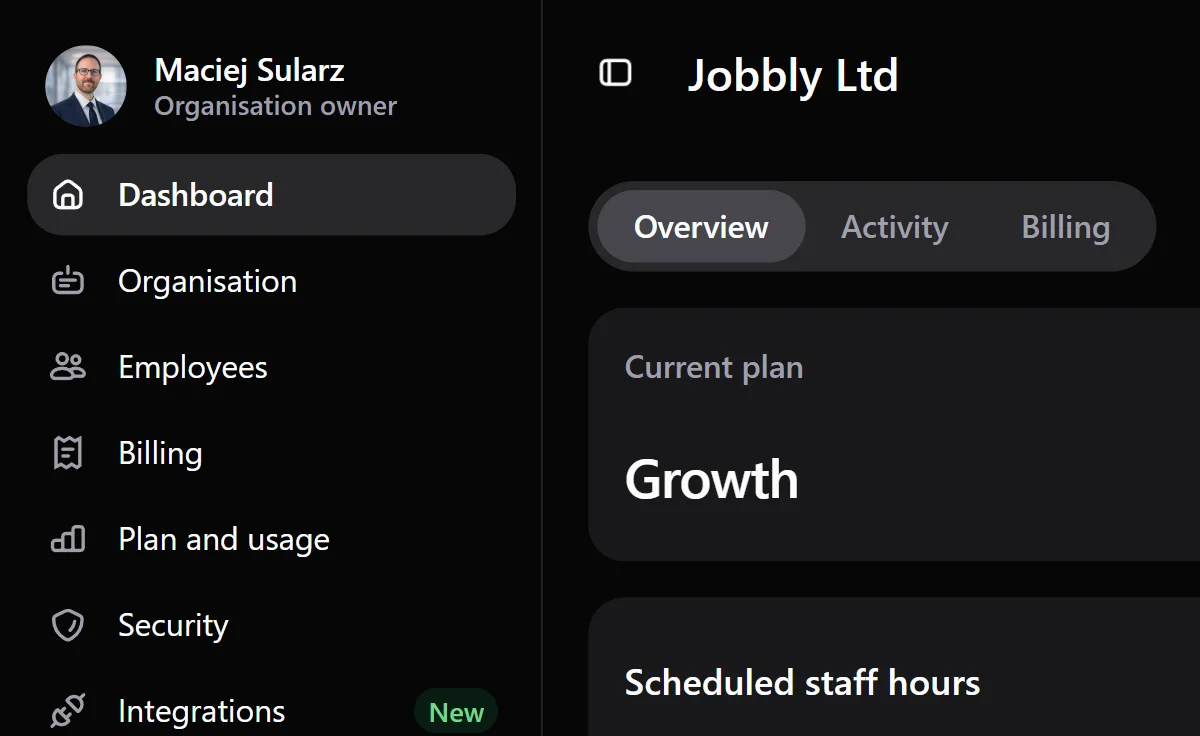
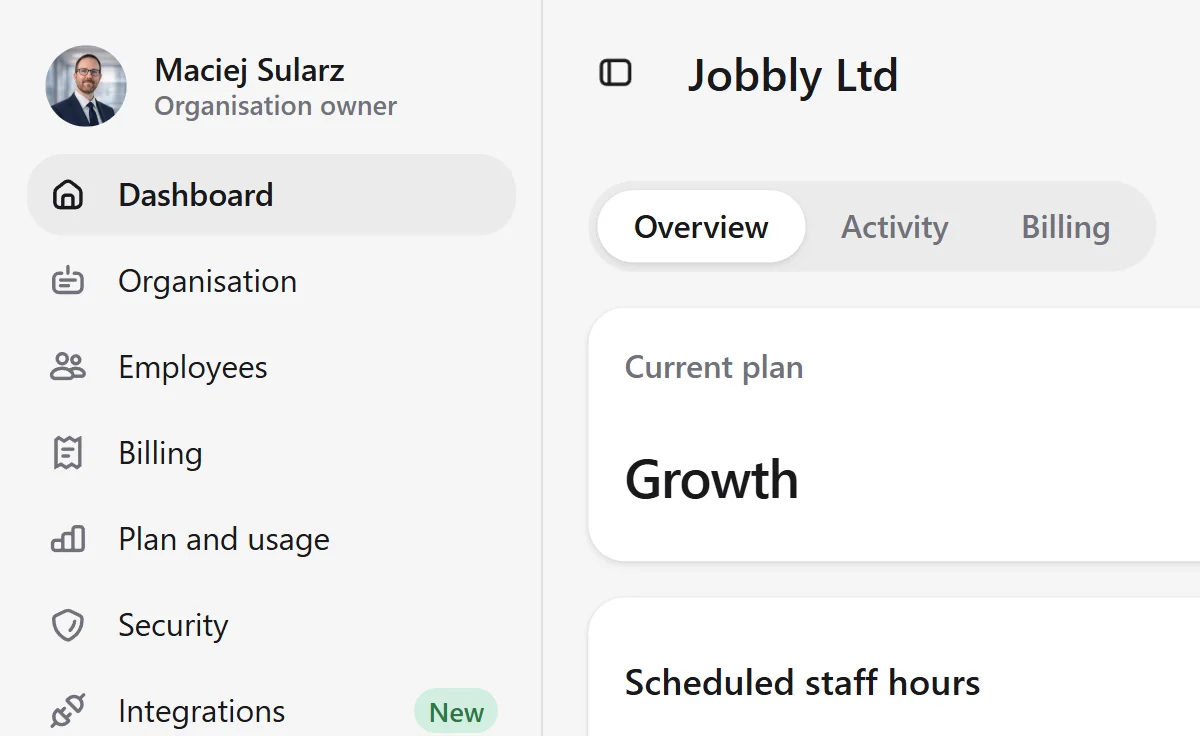
Jobbly Account app dashboard in English dark mode showing an organisation overview with employee usage, department usage, scheduled staff hours, worked hours analytics, employee records, and account-level workforce management insights.Jobbly Account app dashboard in English light mode showing an organisation overview with employee usage, department usage, scheduled staff hours, worked hours analytics, employee records, and account-level workforce management insights.Jobbly Account app dashboard in English dark mode showing an organisation overview with employee usage, department usage, scheduled staff hours, worked hours analytics, employee records, and account-level workforce management insights.Jobbly Account app dashboard in English light mode showing an organisation overview with employee usage, department usage, scheduled staff hours, worked hours analytics, employee records, and account-level workforce management insights.Jobbly Account app dashboard in English dark mode showing an organisation overview with employee usage, department usage, scheduled staff hours, worked hours analytics, employee records, and account-level workforce management insights.Jobbly Account app dashboard in English light mode showing an organisation overview with employee usage, department usage, scheduled staff hours, worked hours analytics, employee records, and account-level workforce management insights.

Jobbly Tenant

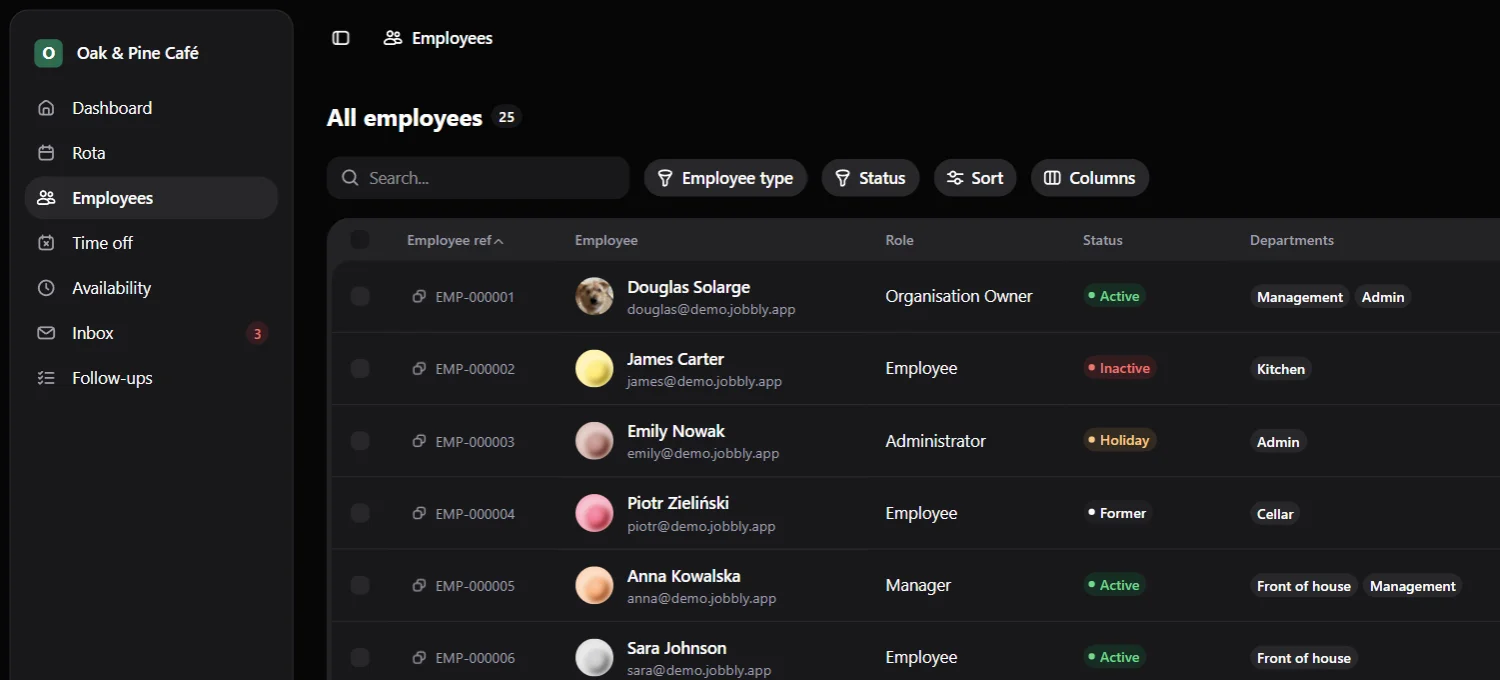
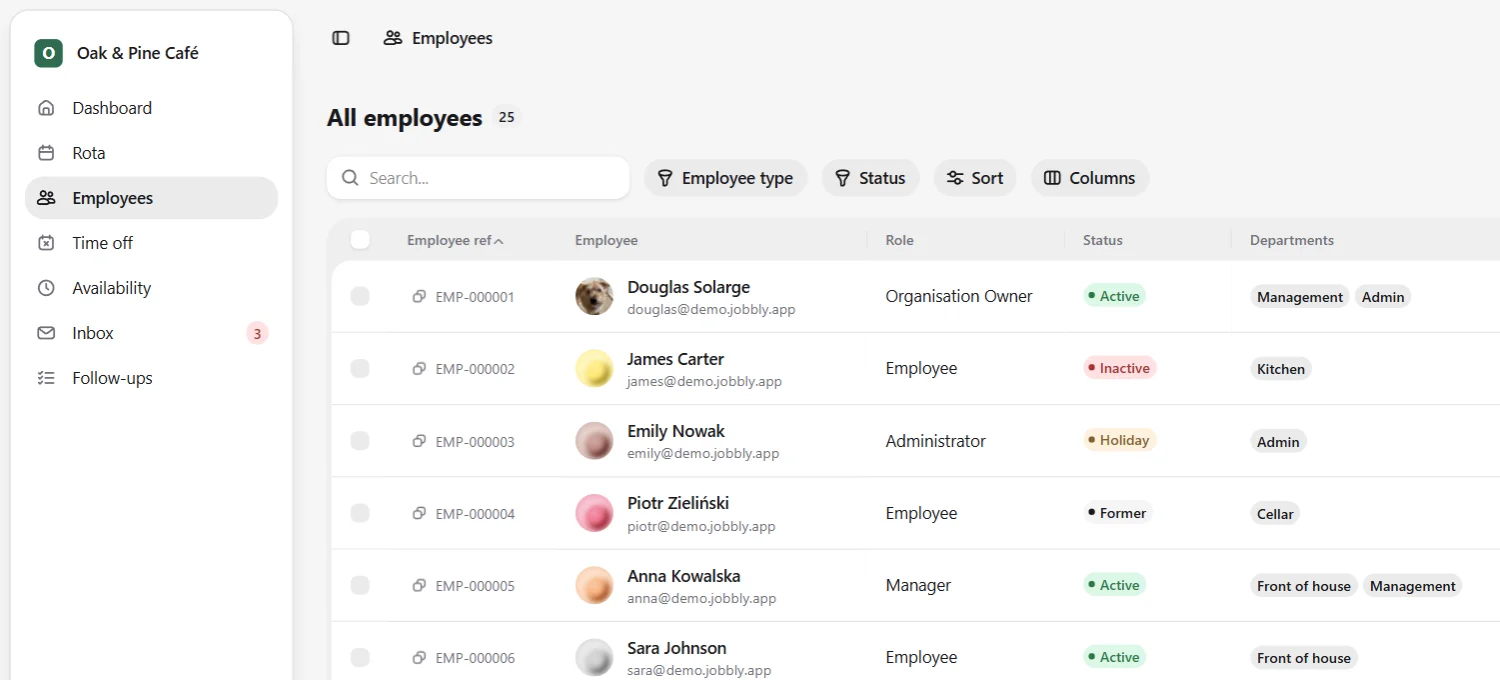
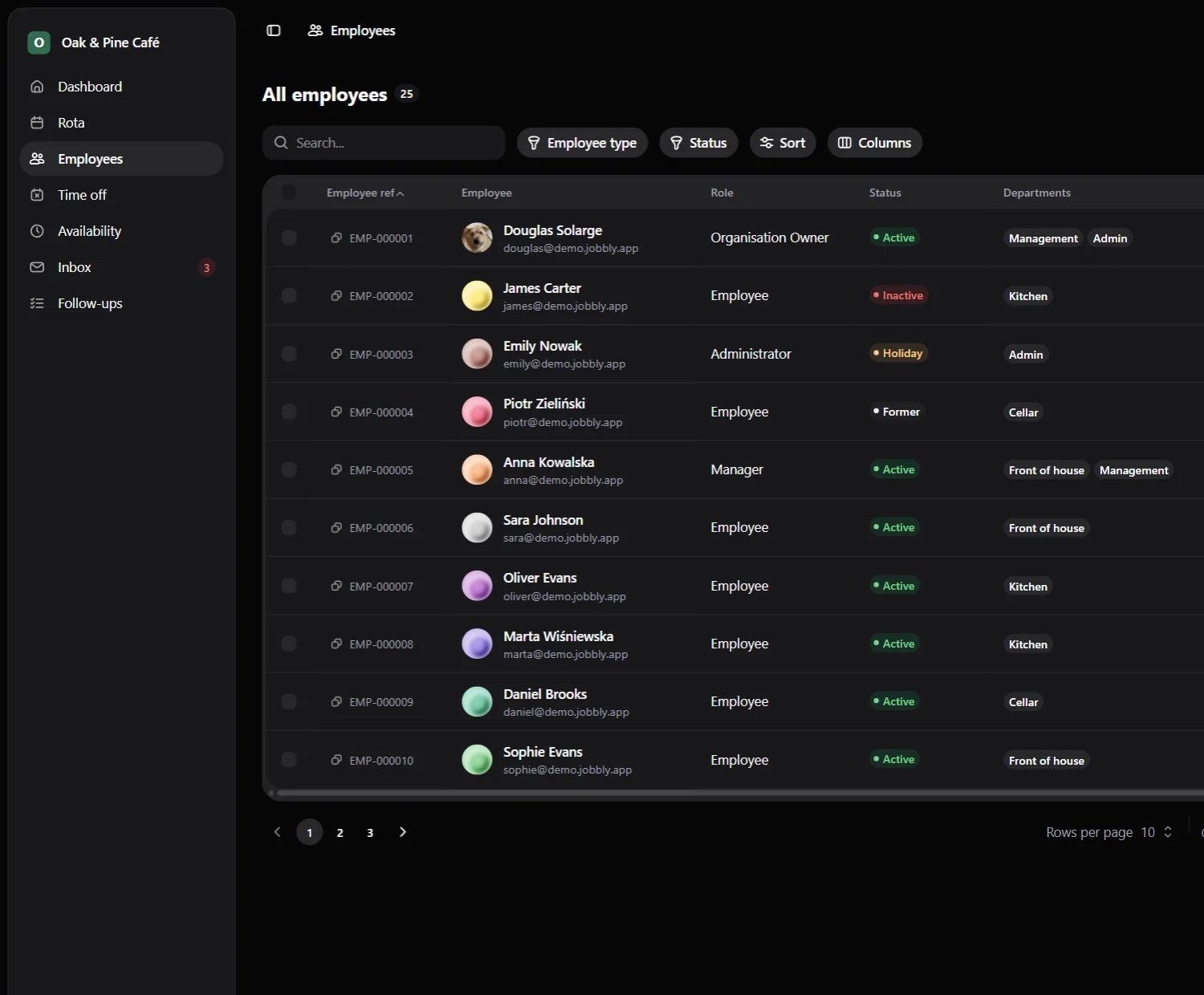
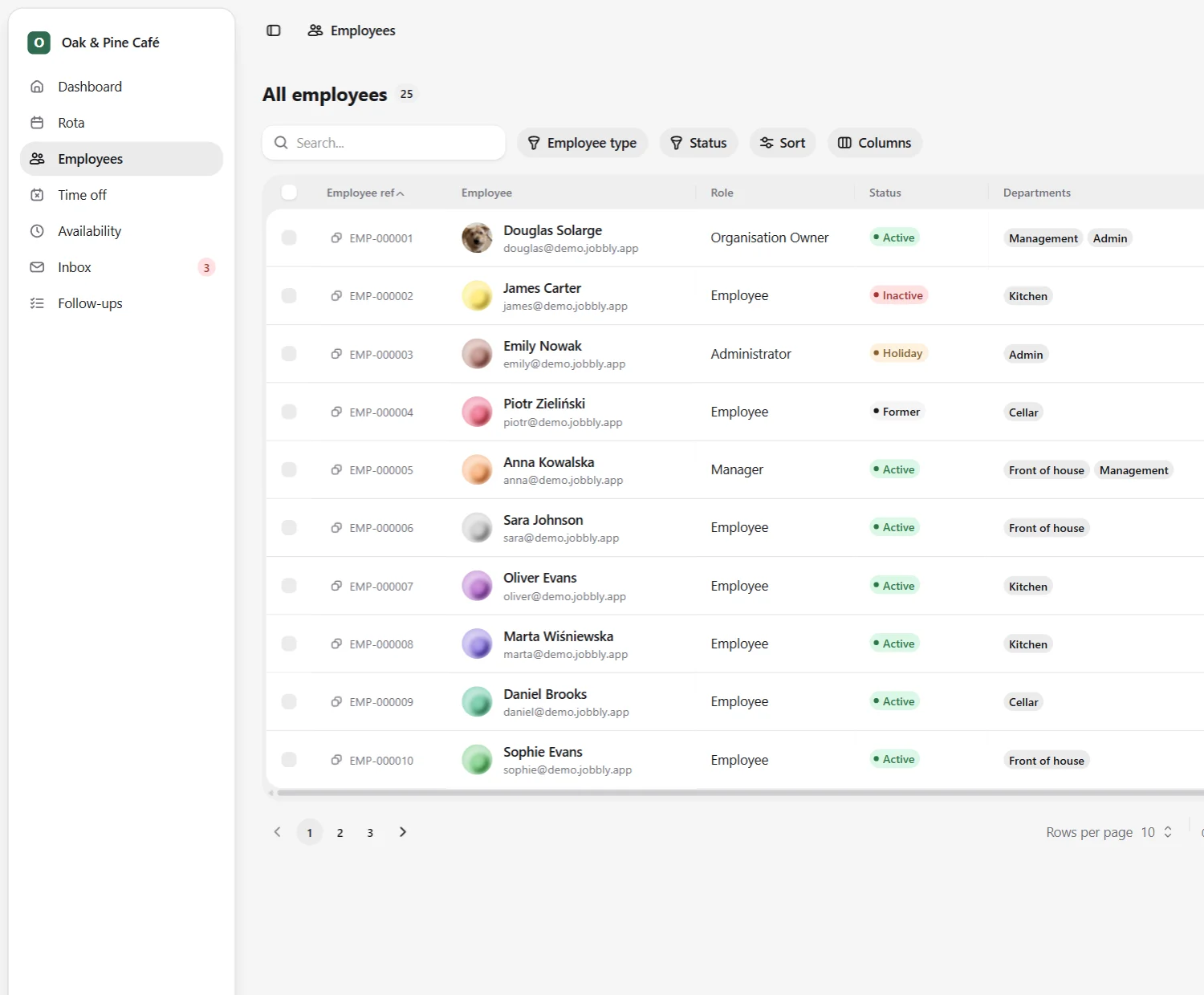
Run daily workforce operations from a dedicated organisation workspace, with employees, rotas, availability, messages, and follow-ups in one place.
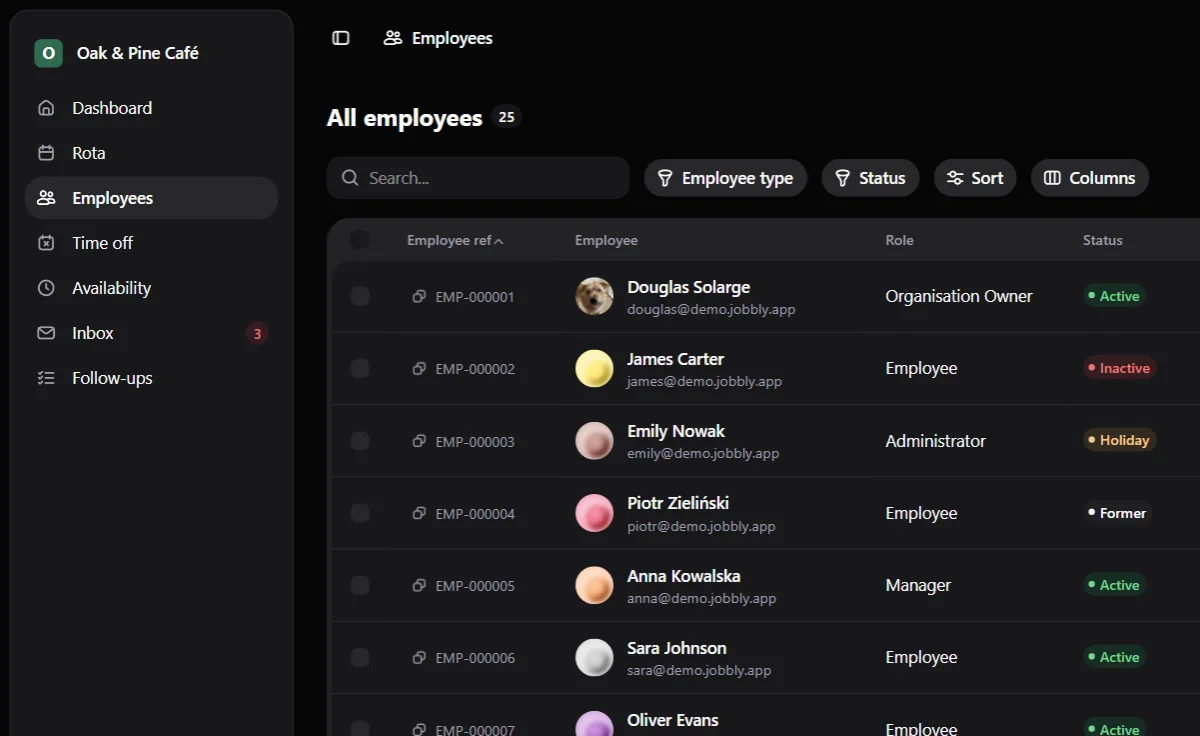
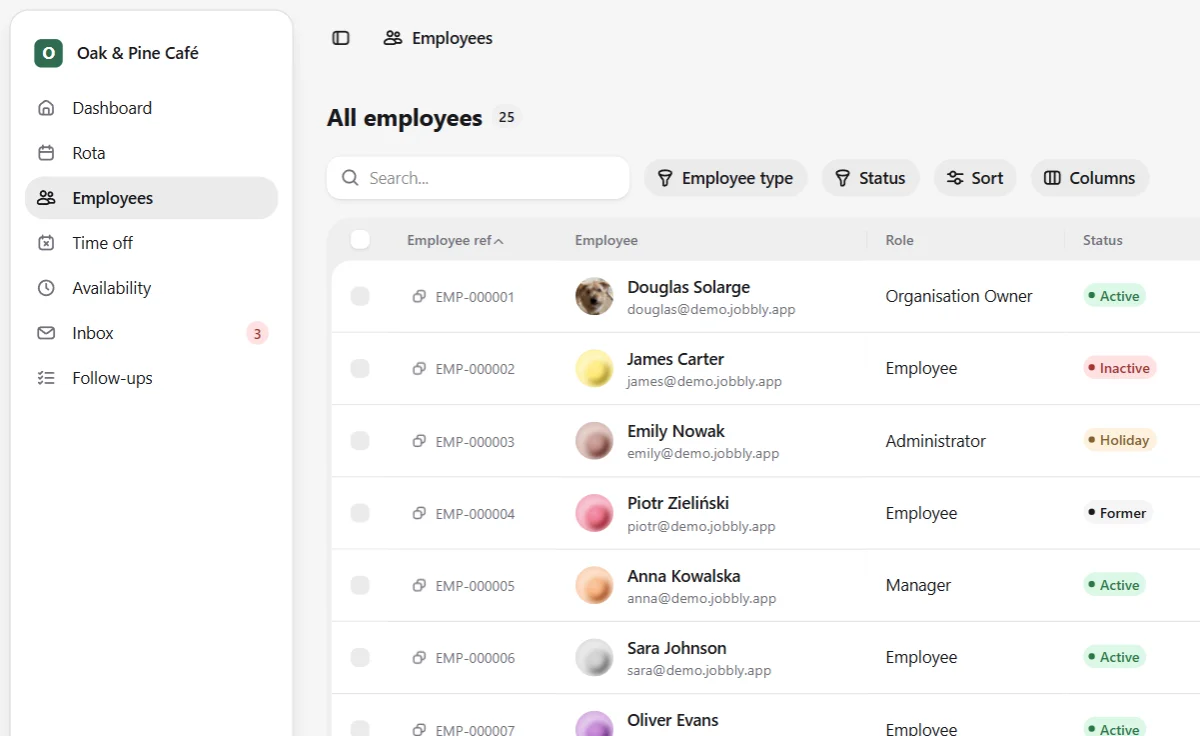
Jobbly Tenant app employee directory in English dark mode showing a dedicated organisation workspace for workforce management with searchable employee records, staff reference numbers, roles, employment status, department assignments, filters, sorting, column controls, and pagination.Jobbly Tenant app employee directory in English light mode showing a dedicated organisation workspace for workforce management with searchable employee records, staff reference numbers, roles, employment status, department assignments, filters, sorting, column controls, and pagination.Jobbly Tenant app employee directory in English dark mode showing a dedicated organisation workspace for workforce management with searchable employee records, staff reference numbers, roles, employment status, department assignments, filters, sorting, column controls, and pagination.Jobbly Tenant app employee directory in English light mode showing a dedicated organisation workspace for workforce management with searchable employee records, staff reference numbers, roles, employment status, department assignments, filters, sorting, column controls, and pagination.Jobbly Tenant app employee directory in English dark mode showing a dedicated organisation workspace for workforce management with searchable employee records, staff reference numbers, roles, employment status, department assignments, filters, sorting, column controls, and pagination.Jobbly Tenant app employee directory in English light mode showing a dedicated organisation workspace for workforce management with searchable employee records, staff reference numbers, roles, employment status, department assignments, filters, sorting, column controls, and pagination.

Rota builder

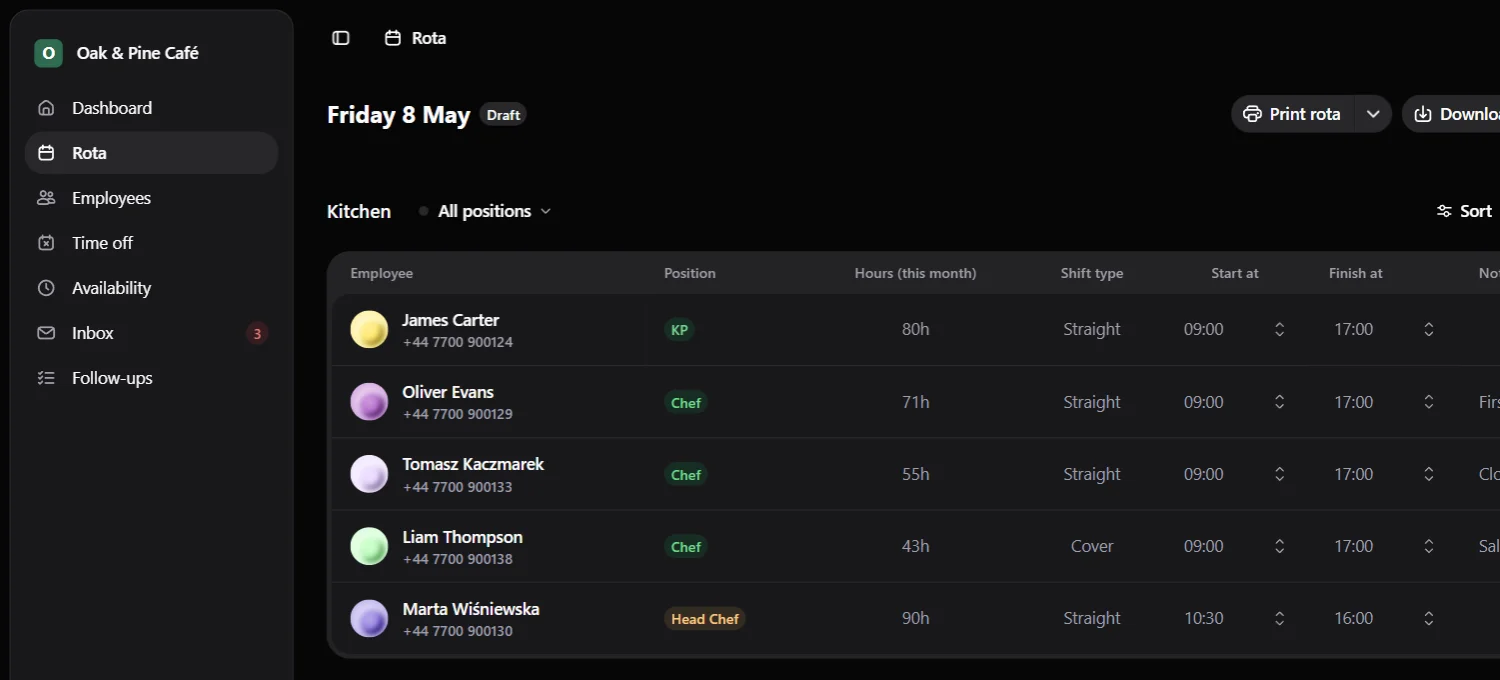
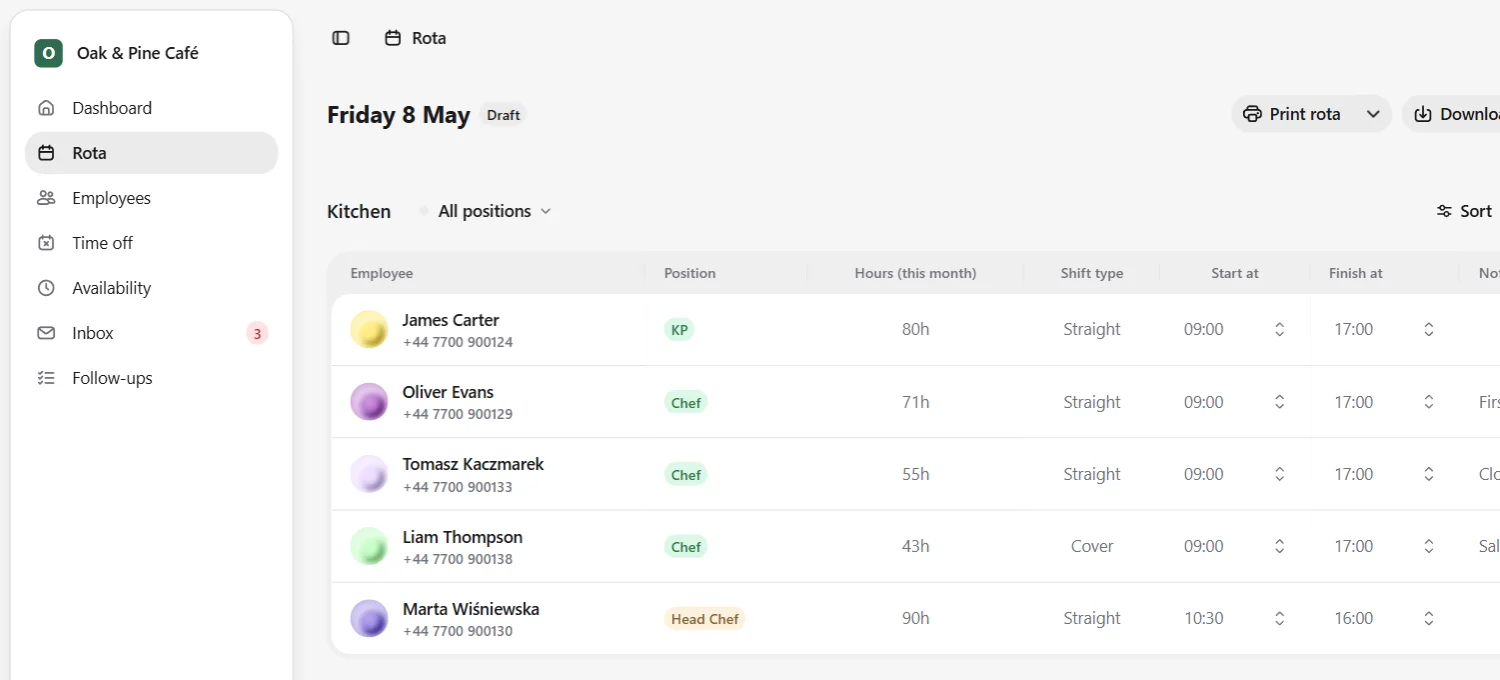
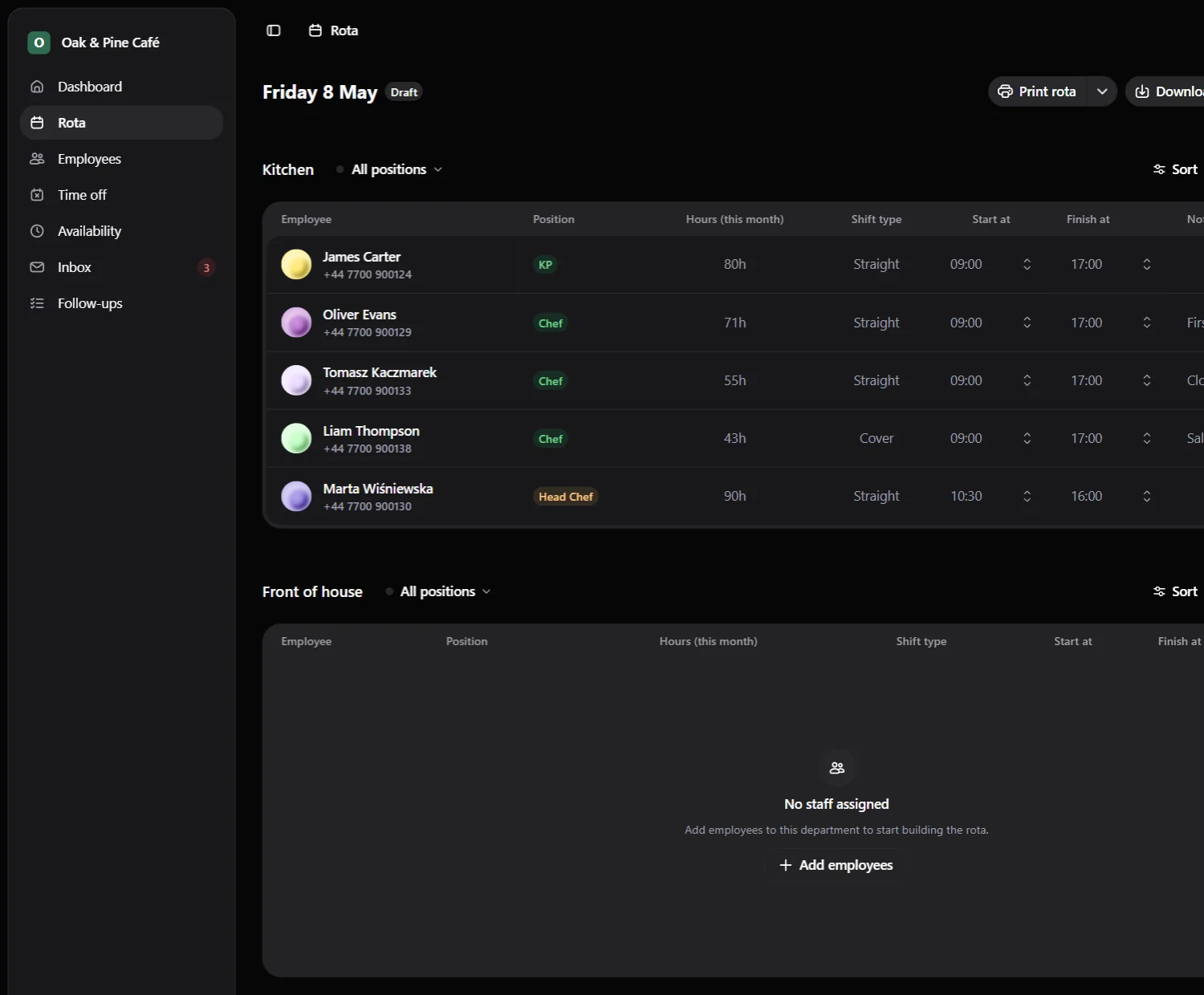
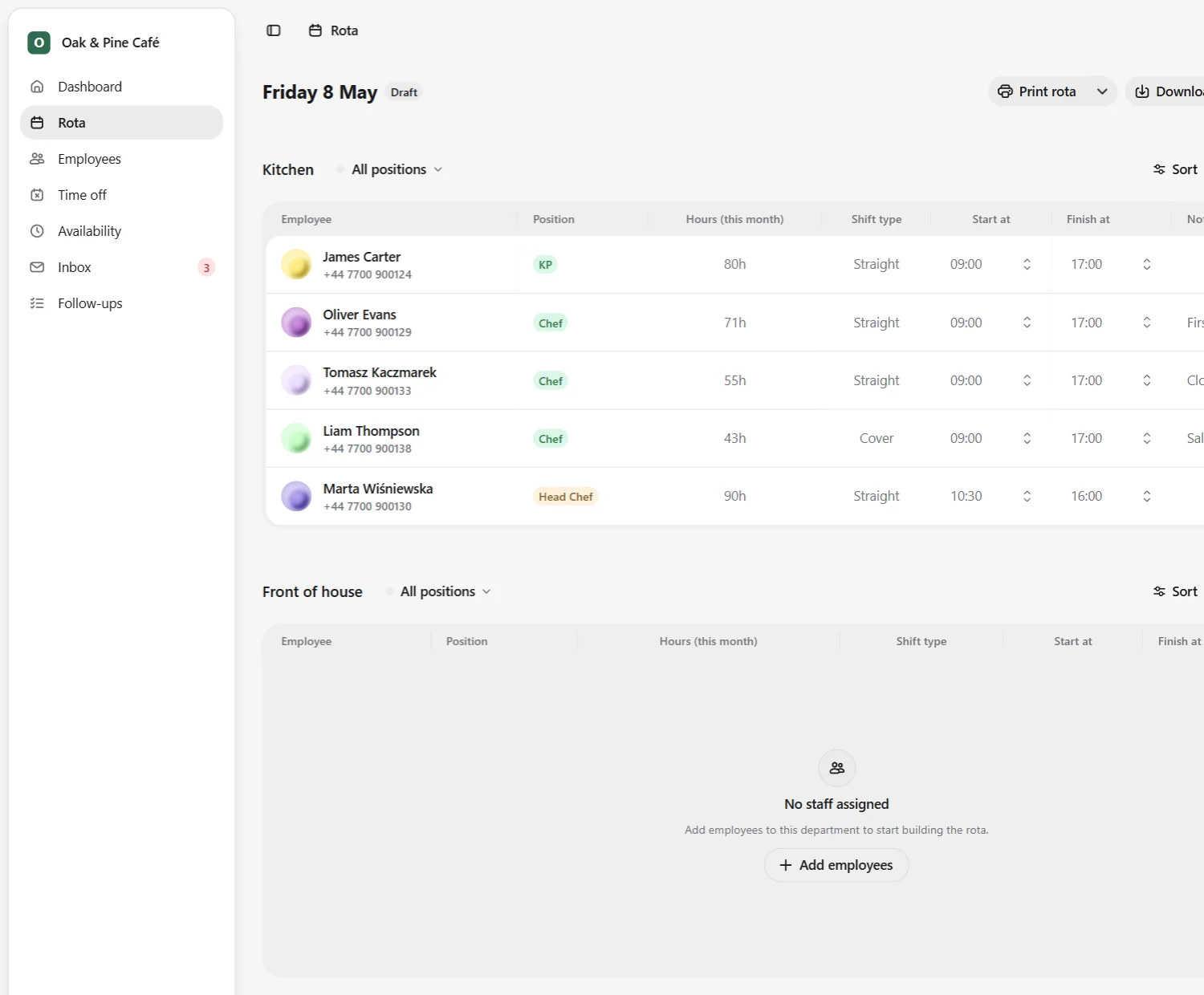
Create practical daily rotas by department, assign employees, balance monthly hours, set shift times, and add notes managers can actually use.
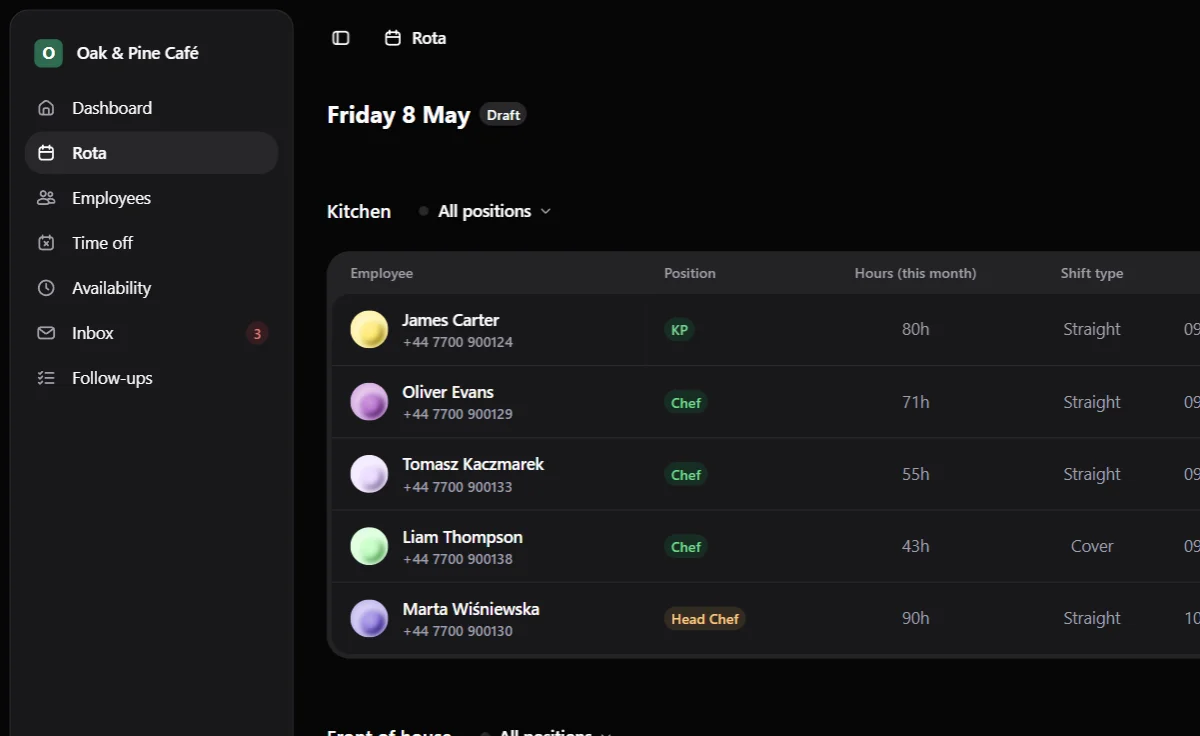
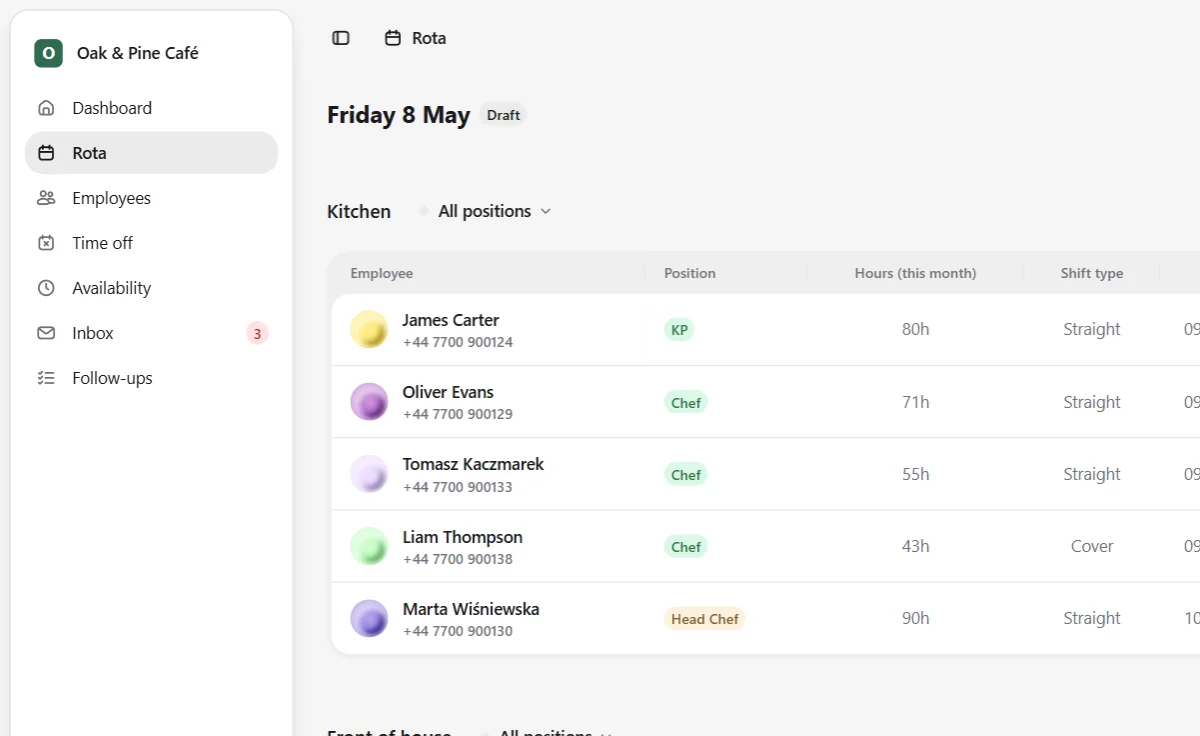
Jobbly Tenant app daily rota builder in English dark mode showing a dedicated organisation workspace with department-based rota sections, assigned employees, positions, monthly hours, shift types, start and finish times, notes, draft status, and print, download, and publish actions.Jobbly Tenant app daily rota builder in English light mode showing a dedicated organisation workspace with department-based rota sections, assigned employees, positions, monthly hours, shift types, start and finish times, notes, draft status, and print, download, and publish actions.Jobbly Tenant app daily rota builder in English dark mode showing a dedicated organisation workspace with department-based rota sections, assigned employees, positions, monthly hours, shift types, start and finish times, notes, draft status, and print, download, and publish actions.Jobbly Tenant app daily rota builder in English light mode showing a dedicated organisation workspace with department-based rota sections, assigned employees, positions, monthly hours, shift types, start and finish times, notes, draft status, and print, download, and publish actions.Jobbly Tenant app daily rota builder in English dark mode showing a dedicated organisation workspace with department-based rota sections, assigned employees, positions, monthly hours, shift types, start and finish times, notes, draft status, and print, download, and publish actions.Jobbly Tenant app daily rota builder in English light mode showing a dedicated organisation workspace with department-based rota sections, assigned employees, positions, monthly hours, shift types, start and finish times, notes, draft status, and print, download, and publish actions.

More than a rota tool.

Jobbly is designed as a connected workforce platform: account oversight, tenant operations, rota planning, follow-ups, scoped access, branding and future API integrations working together.

Separated workspaces

Use Jobbly Account for organisation-level oversight, then run daily operations from a dedicated tenant workspace for each business.

Branches and departments

Model your business around real locations, teams and departments, so rotas, employees and operational responsibilities stay organised.

Department-based rotas

Plan shifts around branches, departments, positions, monthly hours, start and finish times, and practical notes managers can act on.

Operational follow-ups

Keep track of handovers, cover gaps, customer callbacks, stock issues and other loose ends that should not disappear between shifts.

Jobbly API

A dedicated API layer is planned to support future integrations, automation, reporting and connected operational workflows.

Custom domains and branding

Give each organisation a workspace that feels like its own, with dedicated tenant addresses, brand details and future custom-domain support.

Questions & answers